.png)
ENTERING A FLATOUT TEAM OR DOUBLES PAIR

Updated: Mar 12

Entering a team or doubles pair into a FLATOUT event is a straightforward process. Our step-by-step guide will help you navigate the entry process with ease. Note: Before entering a team or doubles pair, you need to register with the platform. If you are already registered, you can simply log in.

Click on the button labelled 'Enter Team' (Also use this for Doubles)
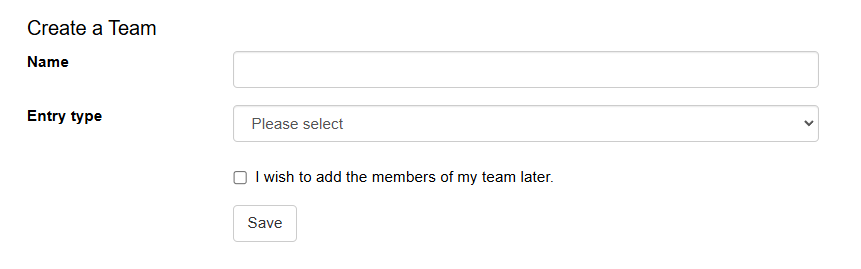
Give your team or doubles pair a name
Select your entry type
(You can choose to add your team members later)
Click Save

Add your first team member by clicking on the 'Add Team Member' button

Select the event's entry type and fill out the form with the participant's details
Agree to the terms and conditions, and add that team member
Repeat the process until all team members are added

Once all places are filled, click "Proceed to Payment" (If this is not visible, click User Area, Edit Team, Pay Balance)

Confirm details are correct and continue to payment.
Note: You can make any amendments to your team in your "User Area" at any time.
For further support with an entry, please email: info@sublimetiming.com


Comments